> ## Documentation Index
> Fetch the complete documentation index at: https://dripart-chore-sync-comfy-api-v2-spec-2b9c2cf.mintlify.site/llms.txt
> Use this file to discover all available pages before exploring further.

# ComfyUI Flux.2 Klein 4B 指南

> 快速了解 FLUX.2 [klein] 4B，并在 ComfyUI 中运行文生图与图像编辑工作流。

<iframe width="560" height="315" src="https://www.youtube.com/embed/Y9foxm9OYEU?si=FeueXTTBoIkydjk7" title="YouTube video player" frameborder="0" allow="accelerometer; autoplay; clipboard-write; encrypted-media; gyroscope; picture-in-picture; web-share" referrerpolicy="strict-origin-when-cross-origin" allowfullscreen />

## 关于 FLUX.2 \[Klein]

FLUX.2 \[Klein] 是 Flux 系列中目前(2026年1月15日)最快的模型，将文生图与图像编辑统一在紧凑架构中。它面向交互式工作流、即时预览与低延迟场景；蒸馏版本可在约 1 秒内完成端到端推理，并在单图与多图参考编辑中保持出色画质。

**模型亮点：**

* 两种 4B 版本：Base（未蒸馏）适合最大灵活性与微调；Distilled（4 步）用于速度优先的部署
* 性能：蒸馏版约 \~1.2s（5090）· 8.4GB 显存；Base 约 \~17s（5090）· 9.2GB 显存
* 编辑能力：风格转换、语义编辑、物体替换/移除、多参考合成、迭代式编辑

<Tip>
  <Tabs>
    <Tab title="本地用户">
      请确保你的 ComfyUI 已经更新。

      * [ComfyUI 下载](https://www.comfy.org/download)
      * [ComfyUI 更新教程](/zh/installation/update_comfyui)

      本指南里的工作流可以在[工作流模板](/zh/interface/features/template)中找到。如果找不到，可能是 ComfyUI 没有更新。

      如果加载工作流时有节点缺失，可能原因有：

      1. 你用的不是最新版（每夜版）。
      2. 启动时有些节点导入失败。
    </Tab>

    <Tab title="云端用户">
      * [Cloud](https://cloud.comfy.org) 会在 ComfyUI 稳定版本发布后更新。

      所以，如果你发现本文档中有任何核心节点缺失，可能是因为新核心节点尚未在最新稳定版中发布。请等待下一个稳定版发布。
    </Tab>
  </Tabs>
</Tip>

## Flux.2 Klein 4B 工作流

<h3 id="image_flux2_klein_text_to_image">
  Flux.2 \[Klein] 4B 文生图
</h3>

<img src="https://raw.githubusercontent.com/Comfy-Org/workflow_templates/main/templates/image_flux2_klein_text_to_image-1.webp" alt="Flux.2 Klein 4B 文生图工作流预览" />

<CardGroup cols={2}>
  <Card title="在 Comfy Cloud 上运行" icon="cloud" href="https://cloud.comfy.org/?template=image_flux2_klein_text_to_image&utm_source=docs&utm_medium=referral&utm_campaign=flux-2-klein">
    在 Comfy Cloud 上运行此工作流
  </Card>

  <Card title="4B 文生图工作流" icon="download" href="https://github.com/Comfy-Org/workflow_templates/blob/main/templates/image_flux2_klein_text_to_image.json">
    下载 Flux.2 Klein 4B 文生图工作流。
  </Card>
</CardGroup>

**示例输出**

![Flux.2 Klein 4B 文生图示例](https://raw.githubusercontent.com/Comfy-Org/workflow_templates/main/output/image_flux2_klein_text_to_image.png)

<h3 id="image_flux2_klein_image_edit_4b_base">
  Flux.2 \[Klein] 4B 图像编辑
</h3>

<img src="https://raw.githubusercontent.com/Comfy-Org/workflow_templates/main/templates/image_flux2_klein_image_edit_4b_base-1.webp" alt="Flux.2 Klein 4B 图像编辑基础工作流预览" />

<CardGroup cols={2}>
  <Card title="在 Comfy Cloud 上运行" icon="cloud" href="https://cloud.comfy.org/?template=image_flux2_klein_image_edit_4b_base&utm_source=docs&utm_medium=referral&utm_campaign=flux-2-klein">
    在 Comfy Cloud 上运行此工作流
  </Card>

  <Card title="4B 图像编辑 Base" icon="download" href="https://github.com/Comfy-Org/workflow_templates/blob/main/templates/image_flux2_klein_image_edit_4b_base.json">
    下载使用 4B 基础模型的图像编辑工作流。
  </Card>
</CardGroup>

**输入素材**

将以下文件上传到对应的 `LoadImage` 节点：

<CardGroup cols={2}>
  <Card title="robed_women.png" icon="image" href="https://raw.githubusercontent.com/Comfy-Org/workflow_templates/main/input/robed_women.png">
    `LoadImage` 节点 76 · `robed_women.png`
  </Card>

  <Card title="pink_tone_chair.png" icon="image" href="https://raw.githubusercontent.com/Comfy-Org/workflow_templates/main/input/pink_tone_chair.png">
    `LoadImage` 节点 81 · `pink_tone_chair.png`
  </Card>
</CardGroup>

<div style={{display: 'grid', gridTemplateColumns: 'repeat(2, minmax(0, 1fr))', gap: '1rem', alignItems: 'start'}}>
  <img src="https://raw.githubusercontent.com/Comfy-Org/workflow_templates/main/input/robed_women.png" alt="robed_women.png" style={{width: '100%', height: 'auto', objectFit: 'contain'}} />

  <img src="https://raw.githubusercontent.com/Comfy-Org/workflow_templates/main/input/pink_tone_chair.png" alt="pink_tone_chair.png" style={{width: '100%', height: 'auto', objectFit: 'contain'}} />
</div>

**示例输出**

![Flux.2 Klein 4B 图像编辑基础示例](https://raw.githubusercontent.com/Comfy-Org/workflow_templates/main/thumbnail/image_flux2_klein_image_edit_4b_base.png)

<h3 id="image_flux2_klein_image_edit_4b_distilled">
  Flux.2 \[Klein] 4B Distilled 图像编辑
</h3>

<img src="https://raw.githubusercontent.com/Comfy-Org/workflow_templates/main/templates/image_flux2_klein_image_edit_4b_distilled-1.webp" alt="Flux.2 Klein 4B 图像编辑蒸馏版工作流预览" />

<CardGroup cols={2}>
  <Card title="在 Comfy Cloud 上运行" icon="cloud" href="https://cloud.comfy.org/?template=image_flux2_klein_image_edit_4b_distilled&utm_source=docs&utm_medium=referral&utm_campaign=flux-2-klein">
    在 Comfy Cloud 上运行此工作流
  </Card>

  <Card title="4B 图像编辑 Distilled" icon="download" href="https://github.com/Comfy-Org/workflow_templates/blob/main/templates/image_flux2_klein_image_edit_4b_distilled.json">
    下载快速的 4B 蒸馏版图像编辑工作流。
  </Card>
</CardGroup>

**输入素材**

将以下文件上传到对应的 `LoadImage` 节点：

<CardGroup cols={2}>
  <Card title="handbag_white.png" icon="image" href="https://raw.githubusercontent.com/Comfy-Org/workflow_templates/main/input/handbag_white.png">
    `LoadImage` 节点 76 · `handbag_white.png`
  </Card>

  <Card title="comfy_logo_blue.png" icon="image" href="https://raw.githubusercontent.com/Comfy-Org/workflow_templates/main/input/comfy_logo_blue.png">
    `LoadImage` 节点 81 · `comfy_logo_blue.png`
  </Card>
</CardGroup>

<div style={{display: 'grid', gridTemplateColumns: 'repeat(2, minmax(0, 1fr))', gap: '1rem', alignItems: 'start'}}>
  <img src="https://raw.githubusercontent.com/Comfy-Org/workflow_templates/main/input/handbag_white.png" alt="handbag_white.png" style={{width: '100%', height: 'auto', objectFit: 'contain'}} />

  <img src="https://raw.githubusercontent.com/Comfy-Org/workflow_templates/main/input/comfy_logo_blue.png" alt="comfy_logo_blue.png" style={{width: '100%', height: 'auto', objectFit: 'contain'}} />
</div>

**示例输出**

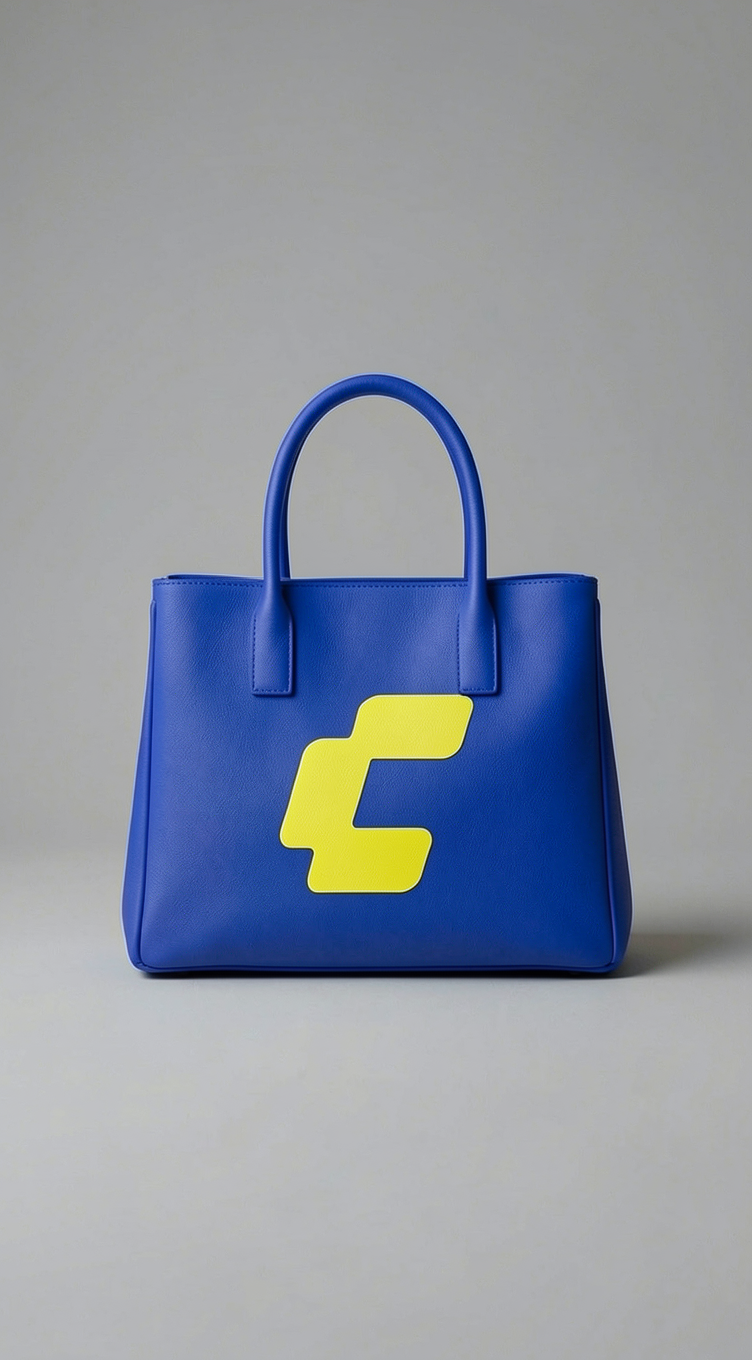
![Flux.2 Klein 4B 图像编辑蒸馏版示例](https://raw.githubusercontent.com/Comfy-Org/workflow_templates/main/output/image_flux2_klein_image_edit_4b_distilled.png)

## Flux.2 Klein 4B 模型下载

<Card title="qwen_3_4b.safetensors" icon="download" href="https://huggingface.co/Comfy-Org/flux2-klein-4B/resolve/main/split_files/text_encoders/qwen_3_4b.safetensors">
  4B 模型文本编码器。
</Card>

<Card title="flux-2-klein-base-4b-fp8.safetensors" icon="download" href="https://huggingface.co/black-forest-labs/FLUX.2-klein-base-4b-fp8/resolve/main/flux-2-klein-base-4b-fp8.safetensors">
  扩散模型（4B Base）。
</Card>

<Card title="flux-2-klein-4b-fp8.safetensors" icon="download" href="https://huggingface.co/black-forest-labs/FLUX.2-klein-4b-fp8/resolve/main/flux-2-klein-4b-fp8.safetensors">
  扩散模型（4B 蒸馏版）。
</Card>

<Card title="flux2-vae.safetensors" icon="download" href="https://huggingface.co/Comfy-Org/flux2-dev/resolve/main/split_files/vae/flux2-vae.safetensors">
  4B 模型 VAE。
</Card>

**4B 模型存放路径**

```
📂 ComfyUI/
├── 📂 models/
│   ├── 📂 text_encoders/
│   │      └── qwen_3_4b.safetensors
│   ├── 📂 diffusion_models/
│   │      ├── flux-2-klein-base-4b-fp8.safetensors
│   │      └── flux-2-klein-4b-fp8.safetensors
│   └── 📂 vae/
│          └── flux2-vae.safetensors
```

## Flux.2 Klein 9B 工作流

<h3 id="image_flux2_text_to_image_9b">
  Flux.2 \[Klein] 9B：文生图
</h3>

<img src="https://raw.githubusercontent.com/Comfy-Org/workflow_templates/main/templates/image_flux2_text_to_image_9b-1.webp" alt="Flux.2 Klein 9B 文生图工作流预览" />

<CardGroup cols={2}>
  <Card title="在 Comfy Cloud 上运行" icon="cloud" href="https://cloud.comfy.org/?template=image_flux2_text_to_image_9b&utm_source=docs&utm_medium=referral&utm_campaign=flux-2-klein">
    在 Comfy Cloud 上运行此工作流
  </Card>

  <Card title="9B 文生图工作流" icon="download" href="https://github.com/Comfy-Org/workflow_templates/blob/main/templates/image_flux2_text_to_image_9b.json">
    下载 Flux.2 Klein 9B 文生图工作流。
  </Card>
</CardGroup>

**示例输出**

![Flux.2 Klein 9B 文生图示例](https://raw.githubusercontent.com/Comfy-Org/workflow_templates/main/output/image_flux2_text_to_image_9b.png)

<h3 id="image_flux2_klein_image_edit_9b_base">
  Flux.2 \[Klein] 9B：图像编辑
</h3>

<img src="https://raw.githubusercontent.com/Comfy-Org/workflow_templates/main/templates/image_flux2_klein_image_edit_9b_base-1.webp" alt="Flux.2 Klein 9B 图像编辑基础工作流预览" />

<CardGroup cols={2}>
  <Card title="在 Comfy Cloud 上运行" icon="cloud" href="https://cloud.comfy.org/?template=image_flux2_klein_image_edit_9b_base&utm_source=docs&utm_medium=referral&utm_campaign=flux-2-klein">
    在 Comfy Cloud 上运行此工作流
  </Card>

  <Card title="9B 图像编辑 Base" icon="download" href="https://github.com/Comfy-Org/workflow_templates/blob/main/templates/image_flux2_klein_image_edit_9b_base.json">
    下载使用 9B 基础模型的图像编辑工作流。
  </Card>
</CardGroup>

**输入素材**

将这些文件上传到对应的 `LoadImage` 节点：

<CardGroup cols={2}>
  <Card title="car_interior_white.jpeg" icon="image" href="https://raw.githubusercontent.com/Comfy-Org/workflow_templates/main/input/car_interior_white.jpeg">
    `LoadImage` 节点 76 · `car_interior_white.jpeg`
  </Card>

  <Card title="comfy_logo_blue.png" icon="image" href="https://raw.githubusercontent.com/Comfy-Org/workflow_templates/main/input/comfy_logo_blue.png">
    `LoadImage` 节点 81 · `comfy_logo_blue.png`
  </Card>
</CardGroup>

<div style={{display: 'grid', gridTemplateColumns: 'repeat(2, minmax(0, 1fr))', gap: '1rem', alignItems: 'start'}}>
  <img src="https://raw.githubusercontent.com/Comfy-Org/workflow_templates/main/input/car_interior_white.jpeg" alt="car_interior_white.jpeg" style={{width: '100%', height: 'auto', objectFit: 'contain'}} />

  <img src="https://raw.githubusercontent.com/Comfy-Org/workflow_templates/main/input/comfy_logo_blue.png" alt="comfy_logo_blue.png" style={{width: '100%', height: 'auto', objectFit: 'contain'}} />
</div>

**示例输出**

![Flux.2 Klein 9B 图像编辑基础示例](https://raw.githubusercontent.com/Comfy-Org/workflow_templates/main/thumbnail/image_flux2_klein_image_edit_9b_base.png)

<h3 id="image_flux2_klein_image_edit_9b_distilled">
  Flux.2 \[Klein] 9B Distilled：图像编辑
</h3>

<img src="https://raw.githubusercontent.com/Comfy-Org/workflow_templates/main/templates/image_flux2_klein_image_edit_9b_distilled-1.webp" alt="Flux.2 Klein 9B 蒸馏版图像编辑工作流预览" />

<CardGroup cols={2}>
  <Card title="在 Comfy Cloud 上运行" icon="cloud" href="https://cloud.comfy.org/?template=image_flux2_klein_image_edit_9b_distilled&utm_source=docs&utm_medium=referral&utm_campaign=flux-2-klein">
    在 Comfy Cloud 上运行此工作流
  </Card>

  <Card title="9B 图像编辑 Distilled" icon="download" href="https://github.com/Comfy-Org/workflow_templates/blob/main/templates/image_flux2_klein_image_edit_9b_distilled.json">
    下载 9B 蒸馏版快速图像编辑工作流。
  </Card>
</CardGroup>

**输入素材**

将这些文件上传到对应的 `LoadImage` 节点：

<CardGroup cols={2}>
  <Card title="bold_outfit_woman.jpeg" icon="image" href="https://raw.githubusercontent.com/Comfy-Org/workflow_templates/main/input/bold_outfit_woman.jpeg">
    `LoadImage` 节点 76 · `bold_outfit_woman.jpeg`
  </Card>

  <Card title="handbag_white.png" icon="image" href="https://raw.githubusercontent.com/Comfy-Org/workflow_templates/main/input/handbag_white.png">
    `LoadImage` 节点 121 · `handbag_white.png`
  </Card>
</CardGroup>

<div style={{display: 'grid', gridTemplateColumns: 'repeat(2, minmax(0, 1fr))', gap: '1rem', alignItems: 'start'}}>
  <img src="https://raw.githubusercontent.com/Comfy-Org/workflow_templates/main/input/bold_outfit_woman.jpeg" alt="bold_outfit_woman.jpeg" style={{width: '100%', height: 'auto', objectFit: 'contain'}} />

  <img src="https://raw.githubusercontent.com/Comfy-Org/workflow_templates/main/input/handbag_white.png" alt="handbag_white.png" style={{width: '100%', height: 'auto', objectFit: 'contain'}} />
</div>

**示例输出**

![Flux.2 Klein 9B 蒸馏版图像编辑示例](https://raw.githubusercontent.com/Comfy-Org/workflow_templates/main/output/image_flux2_klein_image_edit_9b_distilled.png)

## Flux.2 Klein 9B 模型下载

<Note>
  扩散模型需要访问 BFL 仓库，接受协议后才能下载。
</Note>

<Card title="flux-2-klein-base-9b-fp8.safetensors" icon="download" href="https://huggingface.co/black-forest-labs/FLUX.2-klein-base-9b-fp8">
  扩散模型（9B Base）。
</Card>

<Card title="flux-2-klein-9b-fp8.safetensors" icon="download" href="https://huggingface.co/black-forest-labs/FLUX.2-klein-9b-fp8">
  扩散模型（9B 蒸馏版）。
</Card>

<Card title="qwen_3_8b_fp8mixed.safetensors" icon="download" href="https://huggingface.co/Comfy-Org/flux2-klein-9B/resolve/main/split_files/text_encoders/qwen_3_8b_fp8mixed.safetensors">
  9B 模型文本编码器。
</Card>

<Card title="flux2-vae.safetensors" icon="download" href="https://huggingface.co/Comfy-Org/flux2-dev/resolve/main/split_files/vae/flux2-vae.safetensors">
  9B 模型 VAE。
</Card>

**9B 模型存放路径**

```
📂 ComfyUI/
├── 📂 models/
│   ├── 📂 diffusion_models/
│   │      ├── flux-2-klein-9b-fp8.safetensors
│   │      └── flux-2-klein-base-9b-fp8.safetensors
│   ├── 📂 text_encoders/
│   │      └── qwen_3_8b_fp8mixed.safetensors
│   └── 📂 vae/
│          └── flux2-vae.safetensors
```